Welcome to our user guide for Moka! In this guide, you'll discover how to get the most out of Moka and set yourself on a path to building serious wealth. If you have any questions or feedback, feel free to reach out to me at aidan.feller@mogo.ca.
Aidan Feller Product Manager |
|
|
|
|
|
|
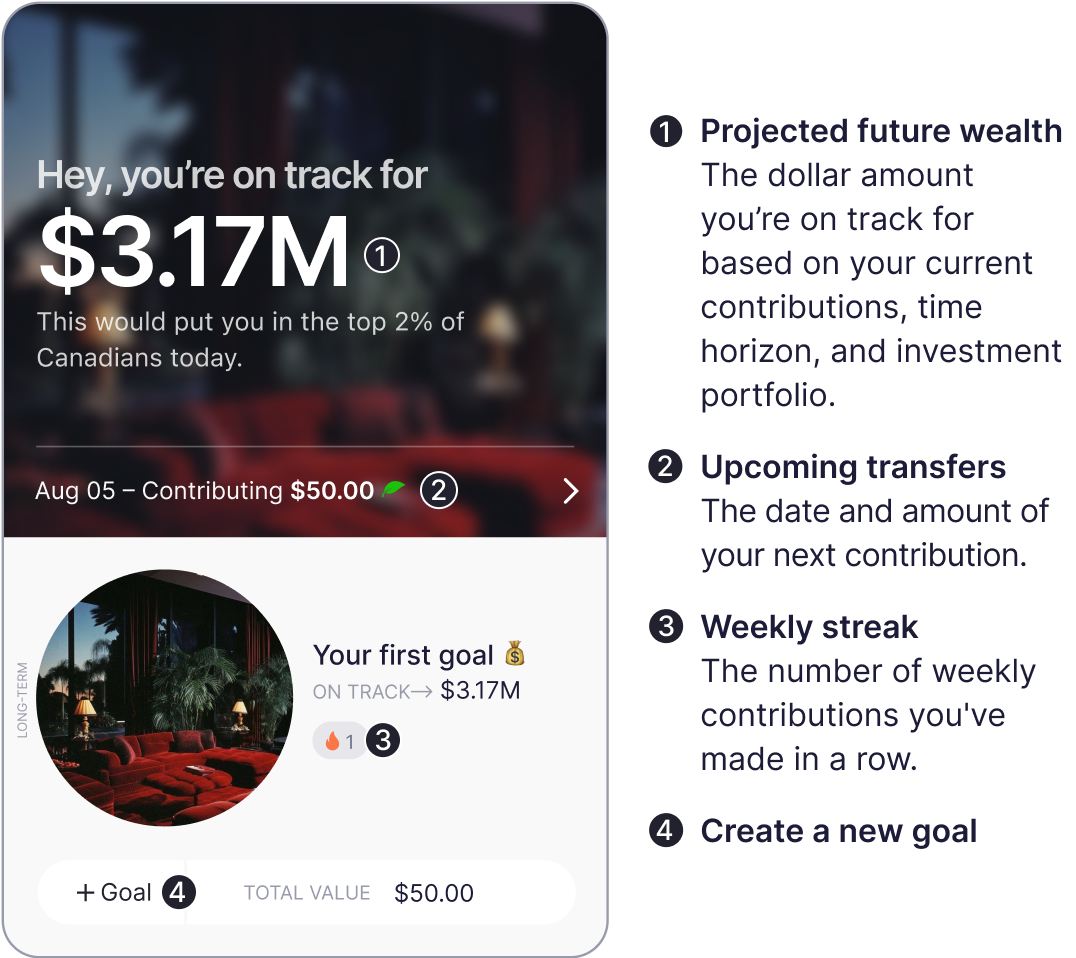
Understand the main dashboard |
|
|
|
|
|
|
|
|
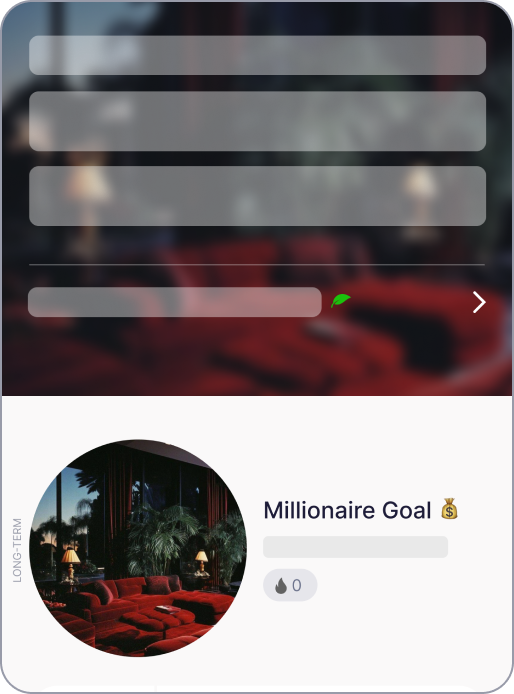 |
Open it On the dashboard, tap on the goal that’s already created for you. |
|
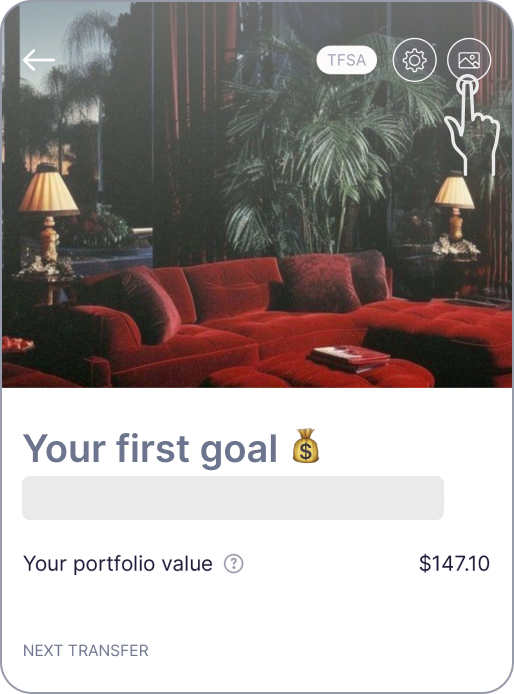 |
Change goal photo Tap the photo icon to upload your
own photo. |
|
|
|
Change goal photo
Tap the photo icon to upload your
own photo. |
|
|
|
|
|
|
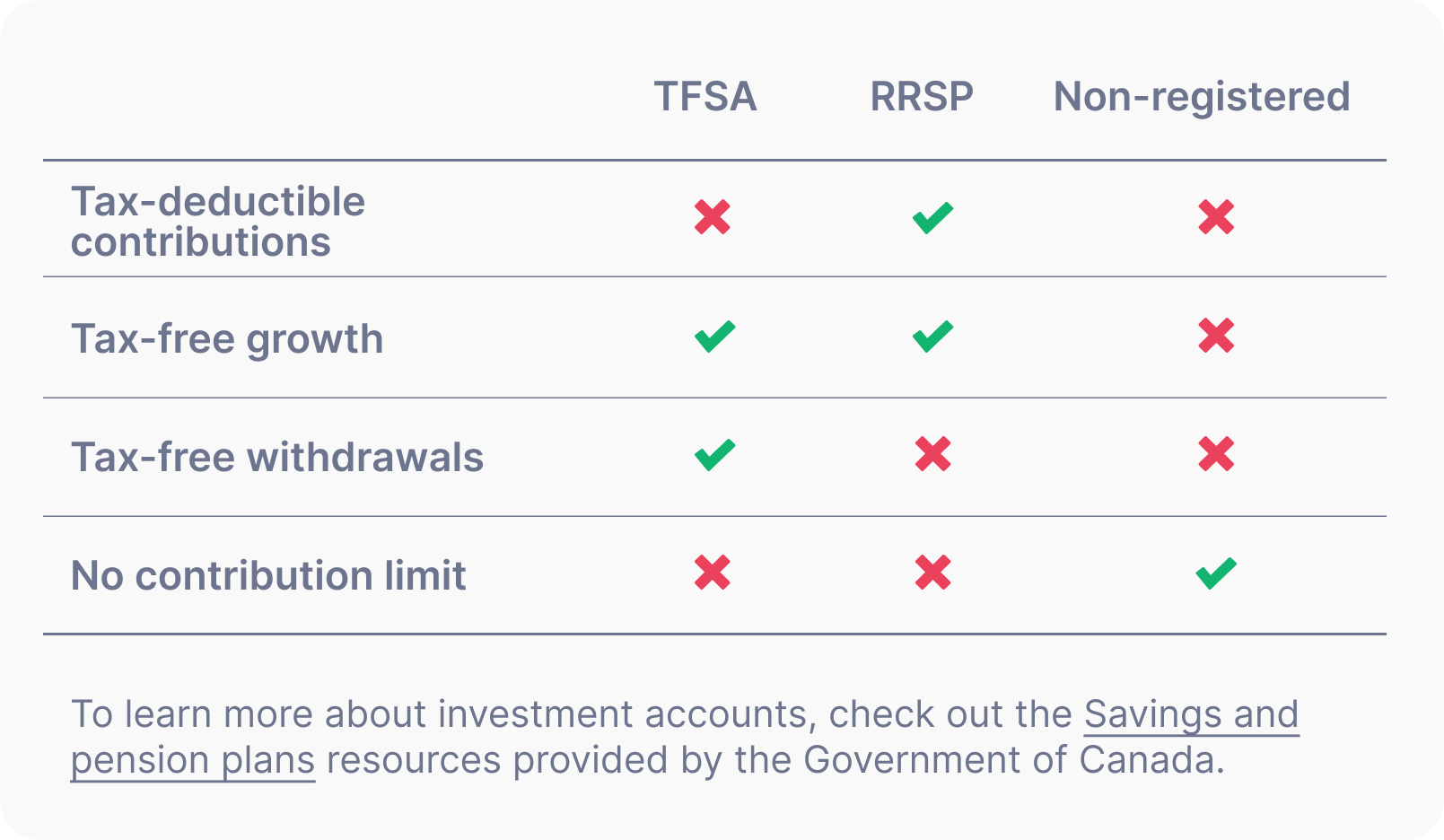
By default, Moka places your first goal in a non-registered account. If you haven’t already, consider using a TFSA or RRSP account for long-term goal(s), as there are considerable tax advantages. Doing so could save you millions. |
|
|
|
|
|
Change to TFSA/RRSP
To change your account type for a goal, tap the gear icon, then tap the “Transfer to a TFSA or an RRSP” button on the Goal settings page and continue. |
|
|
|
|
Understand your Moka portfolio |
|
|
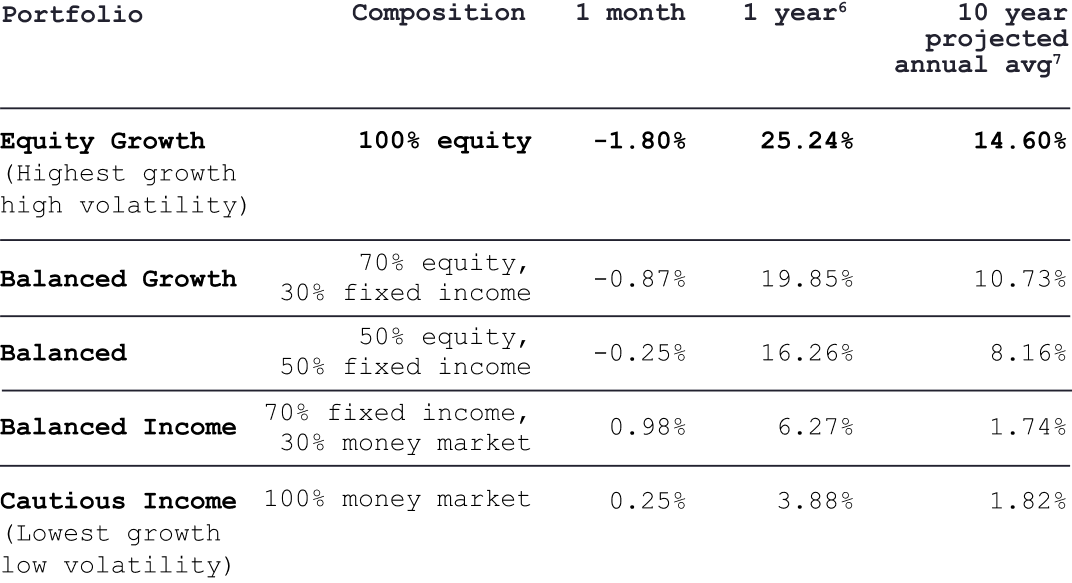
Your investment goals are placed within specific portfolio categories, selected by your portfolio manager based on your investor profile and the goal's time horizon.
Moka offers five portfolios, each catered to a different level of market volatility and time horizon. The table below highlights each portfolio and and their 1 month, 1 year, and 10 year average returns (as of Dec 31st, 2024).
The Equity Growth portfolio is our highest growth potential portfolio, primarily suitable for long-term goals of at least 10 years. |
|
|
|
|
|
Investment portfolio
To see what your goal is invested in, tap the gear icon, on your goal page, then tap “Investment breakdown”. |
Note: It might take up to a week for this information to appear for a new account and goal. |
|
 |
Change your portfolio
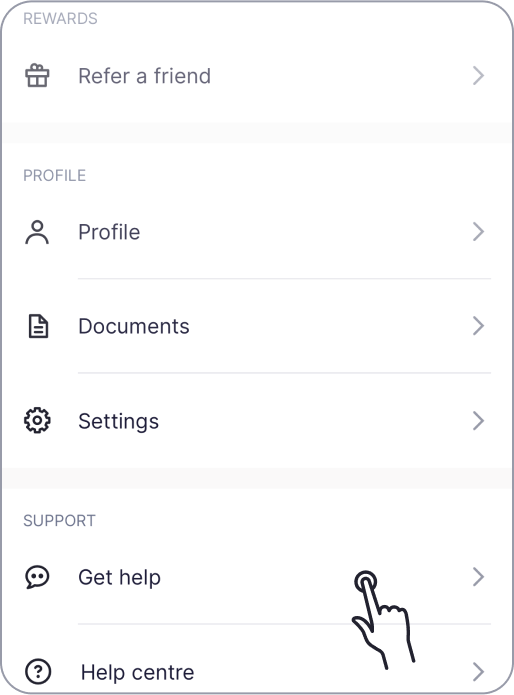
To change your portfolio, please reach out to us. Tap the “Account” tab, then tap “Get help”, then tap “Change my portfolio”. |
|
|
 |
Monthly statements
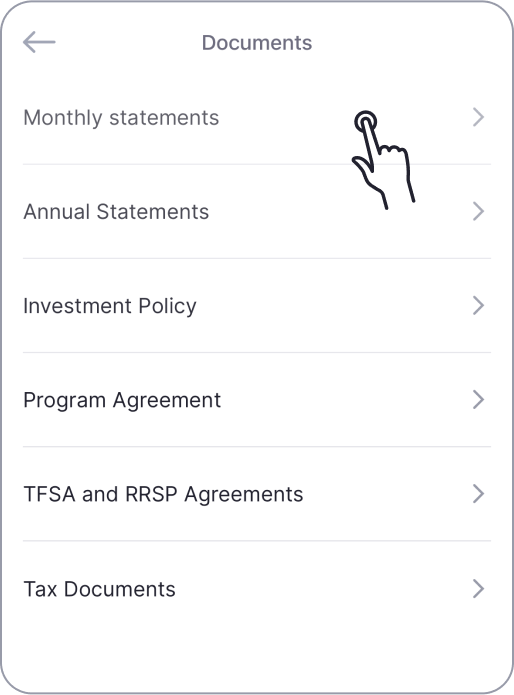
To stay up to date on the performance of your goals, tap the “Account” tab, then “Documents”, and finally “Monthly Statements”. |
Note: Statements will be available in the middle of
the following month once you've made your first contribution to your goal. |
|
|
|
|
Get to know the Wealth calculator |
|
|
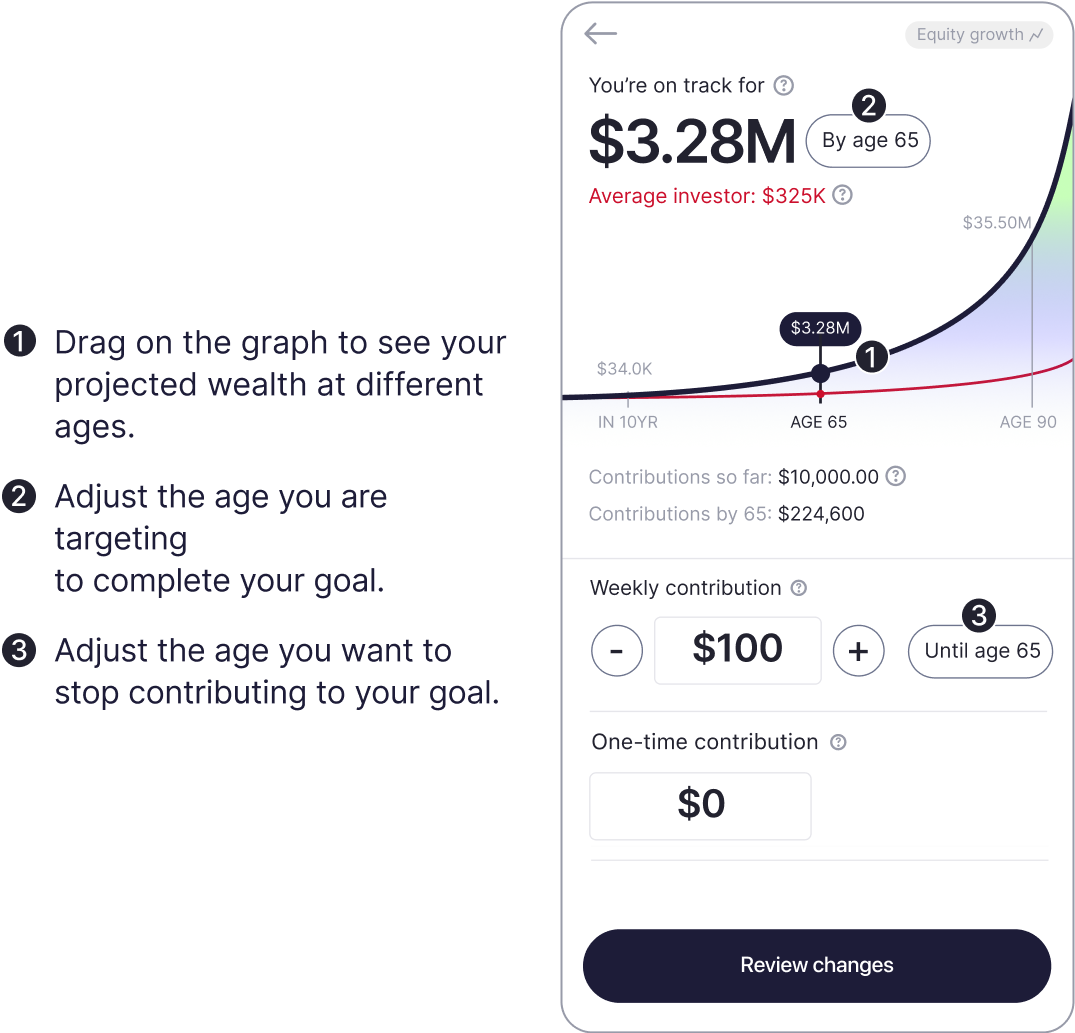
Gain clarity and confidence in your financial future with our patent-pending wealth calculator. Experience the power of compound interest and discover
how small increases in your contributions can grow into millions over time.
Note: You will only see the Wealth calculator if your goal’s portfolio is Equity Growth, Balanced Growth, or Balanced. To see your portfolio or change it, see Section 4 above. |
|
|
Access your calculator
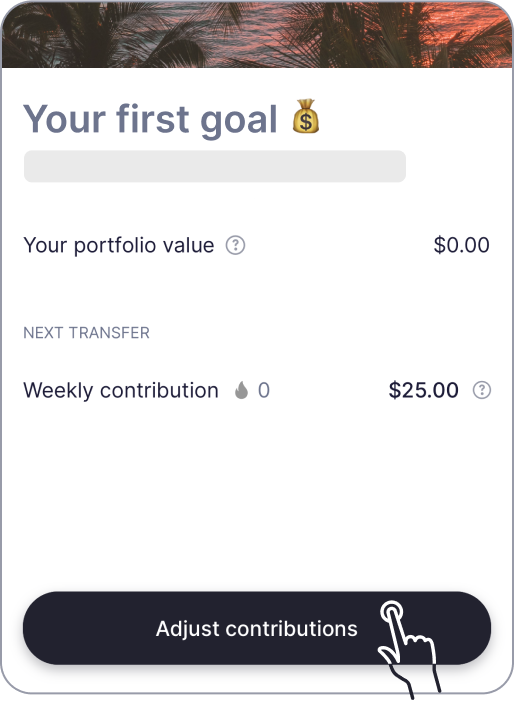
Tap the “Adjust contributions” button to open up the financial freedom calculator. |
|
|
|
|
|
|
Check out the Leaderboard |
|
|
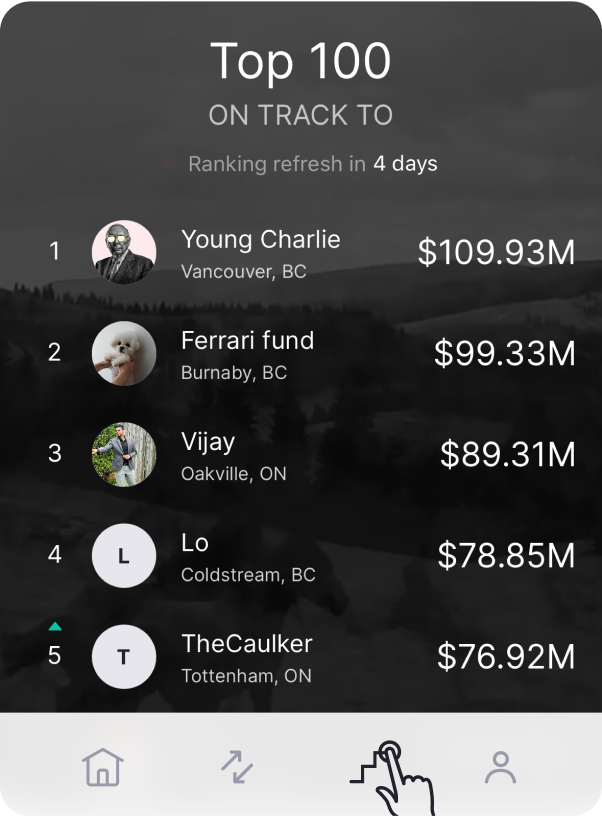
Tap the third button on the bottom navigation to visit the Leaderboard. Updated every Monday, the Leaderboard ranks the top 200 members based on their projected future wealth. |
|
|
|
|
|
|
 |
Shake to provide feedback
Shake your device to share feedback with our product team at any time! |
|
 |
Live chat
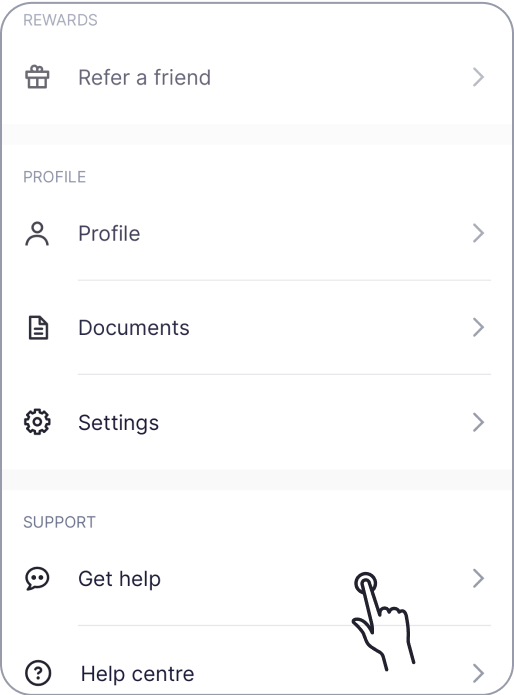
To chat with our Support Team, tap the “Account” tab, then tap “Get help”. |
|
|
|
|
The Quick Start Guide only scratches the surface of what you can do with Moka. There is still a lot to discover within the app. |
|
|
|
|